RTLS Studio 3.7
Welcome to the RTLS Studio 3.7 Product Tour.
This page highlights the most important new features and improvements introduced in this release. Each section provides a brief overview of the feature and its benefits, with links to detailed documentation where applicable.
NEW Ubuntu 24.04 and 26.04 Support
With RTLS Studio 3.7, we are updating our supported operating systems for the RTLS Server.
Support for Ubuntu 22.04 has been discontinued as we move toward newer long-term support environments. RTLS Studio is now fully supported on:
Ubuntu 24.04 LTS
Ubuntu 26.04 LTS
These newer versions provide Long-Term Support (LTS) until 2029 and 2031, respectively. They also include better security updates, and more up-to-date system packages, ensuring a reliable and future-proof environment for RTLS deployments.

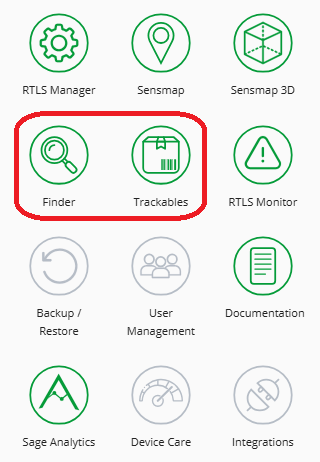
NEW Trackables and Finder in Main Menu
Trackables and Finder have now secured their permanent place among RTLS Studio's core features. Both powerful tools are now accessible directly from the main menu, making them easier and more convenient to use, particularly on desktop PCs.
If you would like to learn more about how to make the most of these tools, please do not hesitate to contact the CX team for further information or visit demo.sewio.net to try it out.
Last but not least, we have removed the RTLS IO feature from RTLS Studio, as it no longer aligns with current market needs and use cases.
NEW Sensmap user experience improvements
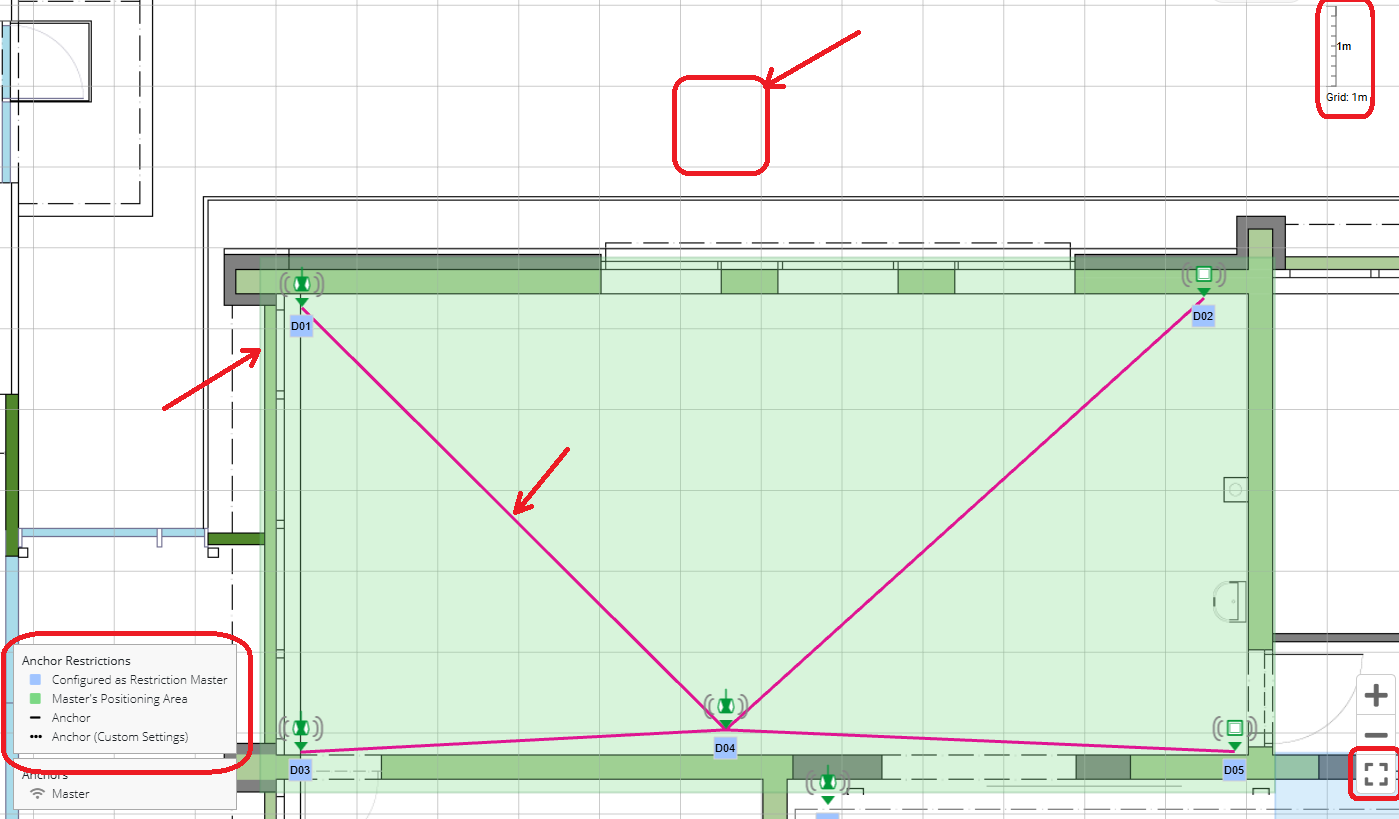
The latest release of RTLS Studio also introduces a major overhaul of Sensmap, featuring a new fit-to-view, zoom-agnostic grid, master cell visualizations, and an overall enhanced user experience. These changes will make it much easier for the user to interact with the Sensmap when deploying your RTLS infrastructure.
We invite you to explore these improvements firsthand by visiting demo.sewio.net and trying out the new Sensmap!
NEW Automatic capture during anchor initialization
Finally, the latest RTLS Studio release introduces automatic capture recordings during initialization and firmware updates. This enhancement provides an additional layer of diagnostics during these critical processes, allowing us to collect valuable data for troubleshooting and investigating any potential failures.
These recordings can also help identify underlying network-related issues that could compromise the reliability of future operations.